Every country usually has a different format and information when showing address detail in document. Base on your requirement, you can setup the address layout and detail info.
To do address format setup in SAP Business One, go to: “Administration” – “Setup” – “Business Partners” – “Address Formats” and select the address format you want to edit.
For this example, I want to change the address format for Australia.
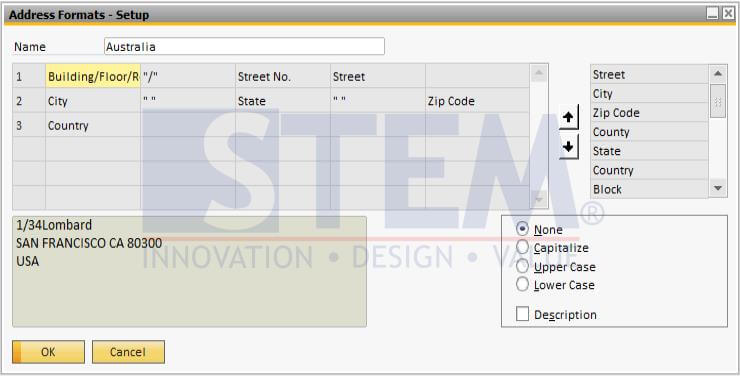
You can add, move or delete the information you want to show in address information. Just select the field inside the table that you want to change, and then double click the component in the list at the right.
The result can be review from the text box on the bottom left.
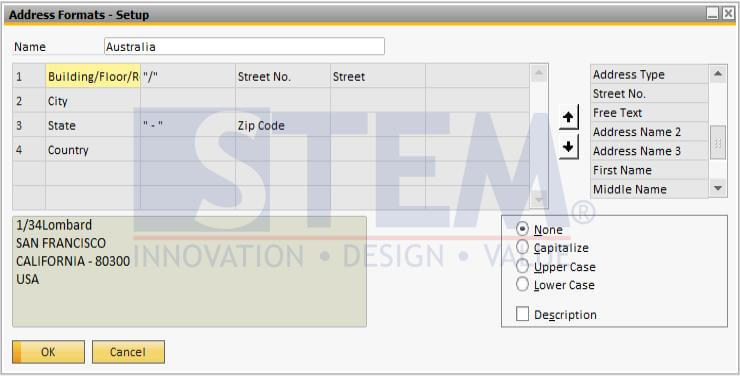
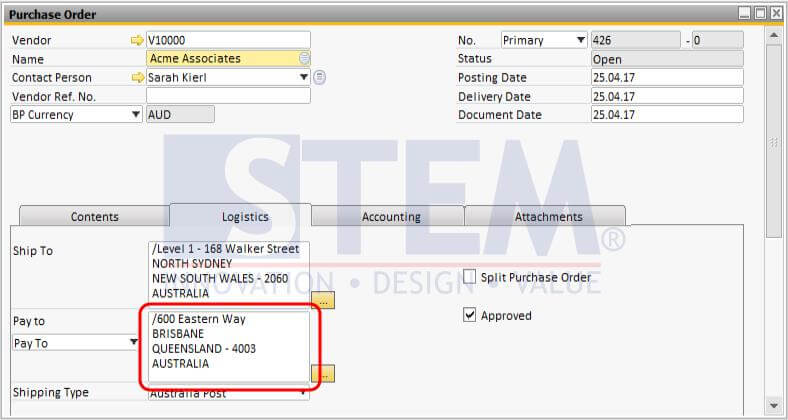
The difference is shown in these 2 pictures below :
- Previous Format
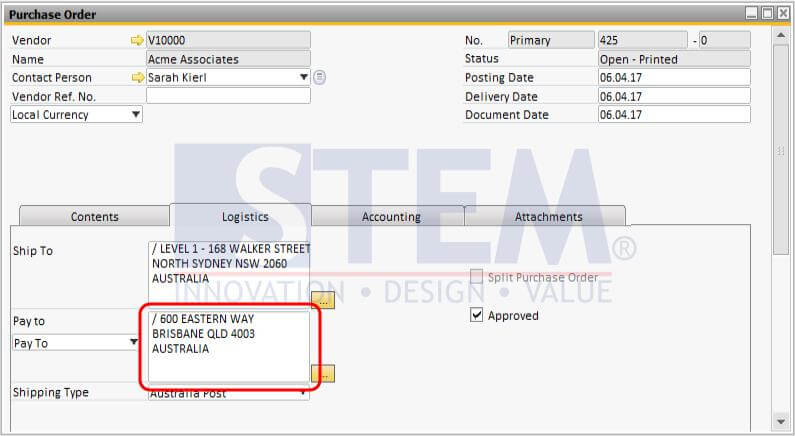
- New Format
Copyright © PT Sterling Tulus Cemerlang – 2017
Is Your SAP B1 Document Address Format Incorrect?
An incorrect address format can make your business documents look unprofessional or fail to meet your operational requirements. Our team can help optimize your SAP Business One configuration for your business needs.
Also read relevant SAP Business One Tips:
- Decimal Display Format in SAP Business One – Customize Numeric Precision
- Ctrl+Tab Function in SAP Business One Warehouse
- Duplicate SAP Business One Item Master Data Quickly
- How to Change Date Format in SAP Business One
- Add Print Time to SAP B1 Crystal Report Layout Easily
- How to Set Authorization for Duplicating Documents in SAP Business One