




In SAP Business One, you can create your own shortcut to open a window.
- Click Tools (at Main Menu) – My Shortcut –Customize
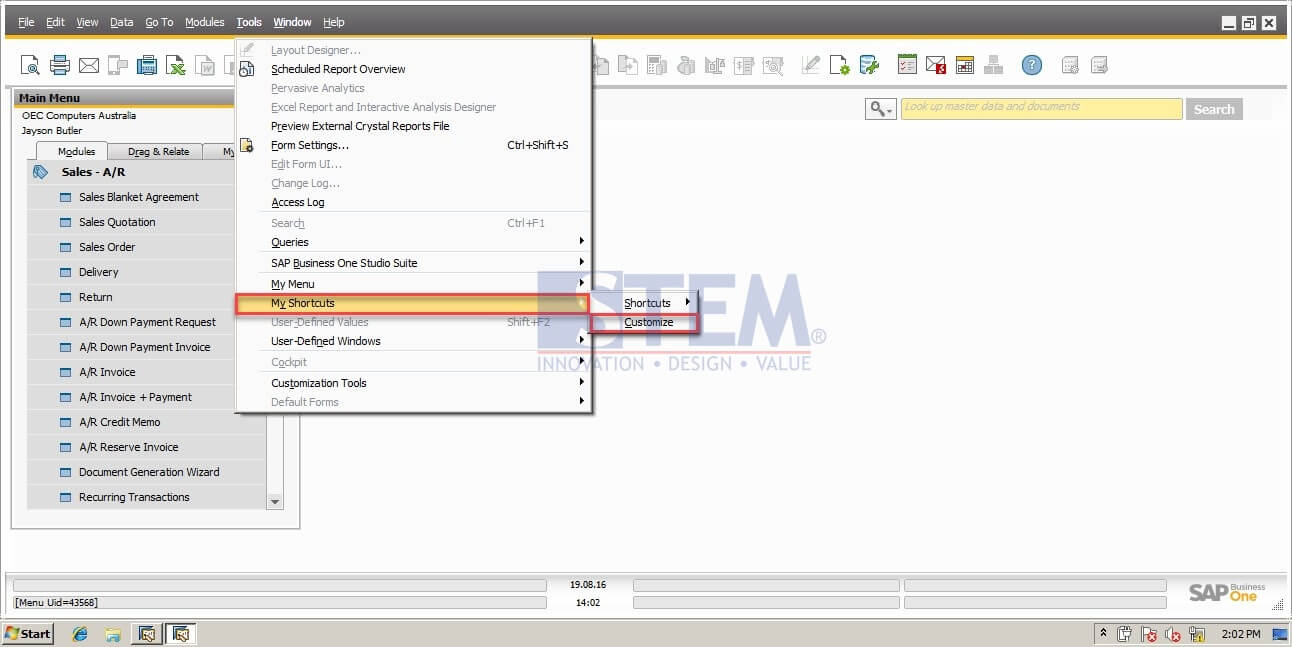
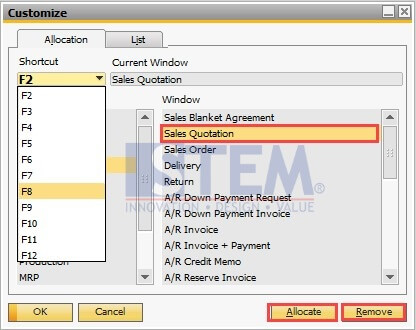
- You must choose what shortcut that you want to use (example : F2) and what window that you want to appear (example : Sales Quotation), and then click Allocate – OK.
- Or you can remove your shortcut by click Remove.
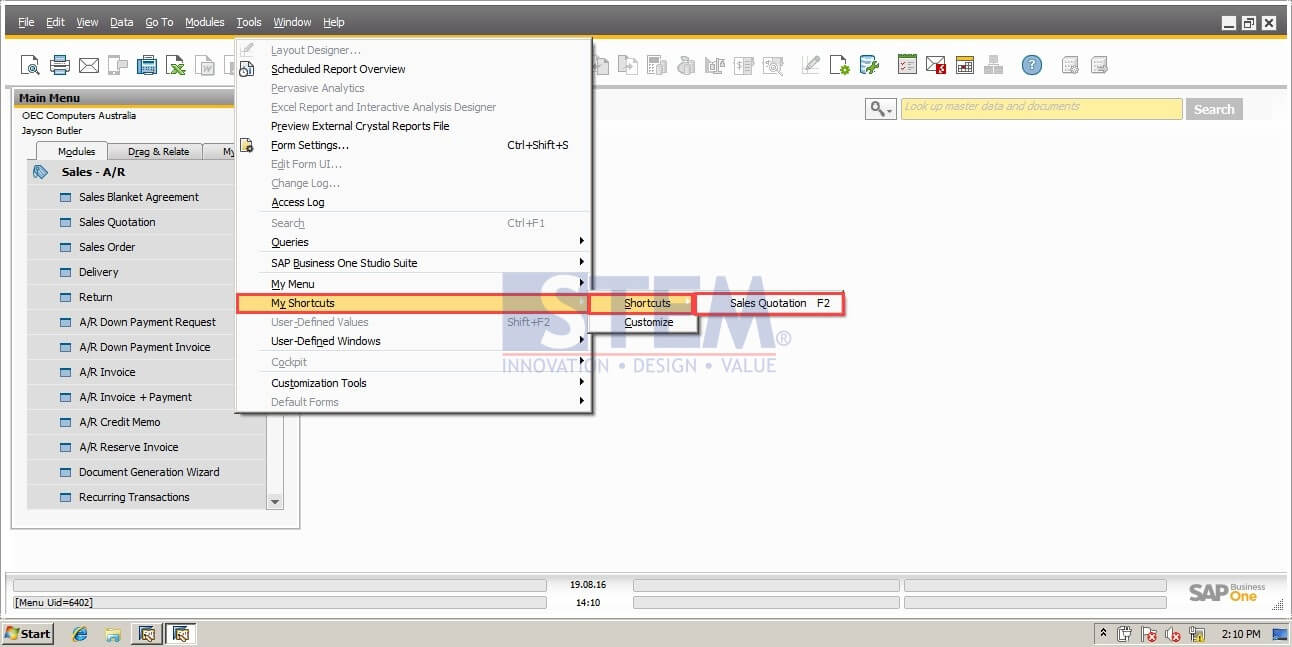
- You can view your shortcut list by click Tools – My Shortcut – Shortcut
- Then, if you tab your shortcut at your keyboard, your window will be popped out automatically.
Copyright © PT Sterling Tulus Cemerlang – 2016
Also read relevant SAP Business One Tips:
- How to Create Cockpit Template in SAP B1 HANA (Fiori)
- Connect SAP B1 Data to Crystal Report | SAP B1 Guide
- Form Authorization & Main Menu Settings Guide in SAP Business One
- How to Auto-Generate Warehouse Sublevels in SAP Business One
- Create & Update Parameters in SAP Crystal Reports
- How to Set User Query to SAP Business One Main Menu





